Import User Files to the Quiz Player
Step 1
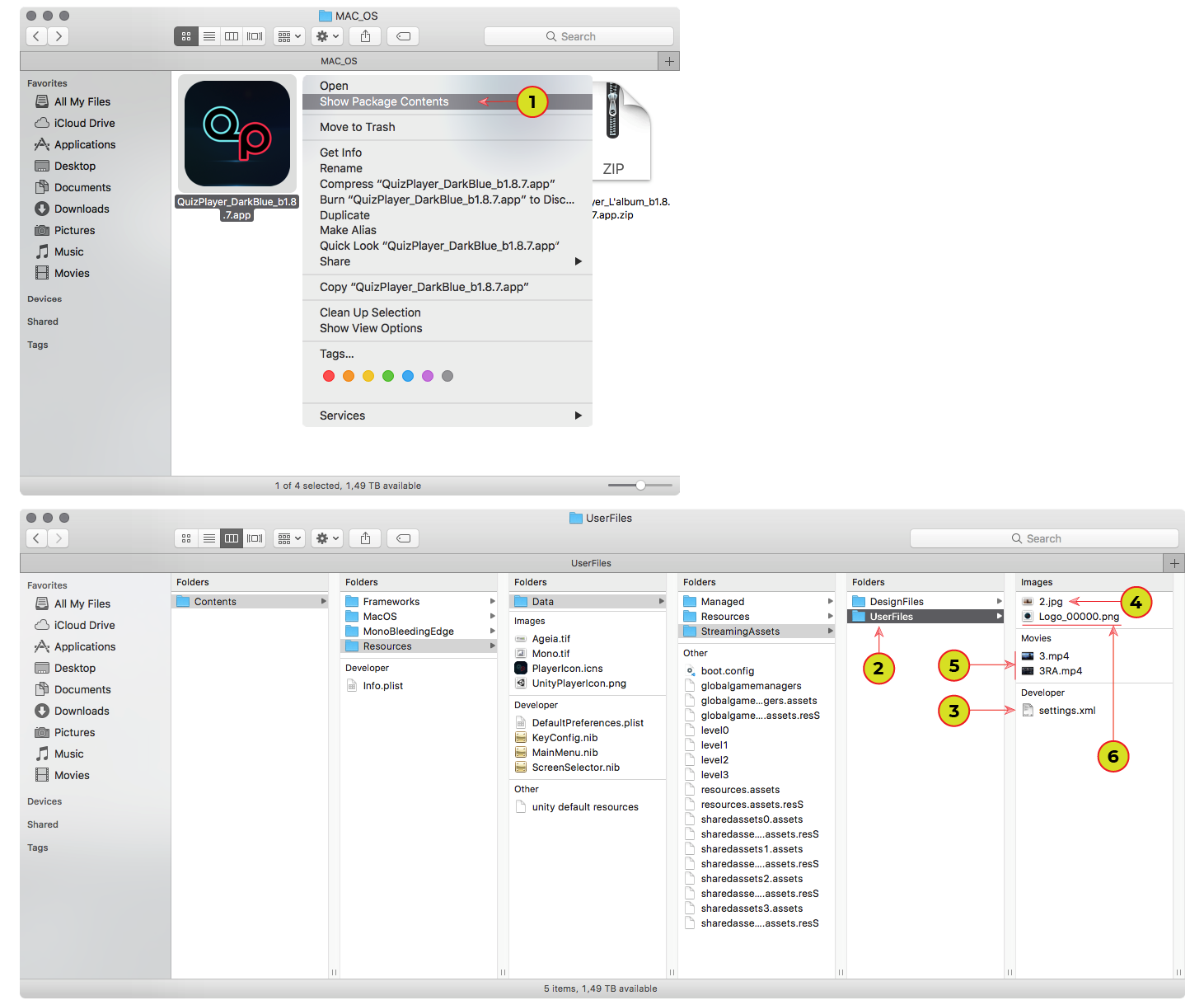
1. To import your files, like a photos, logo, video question, settings xml, into the Quiz Player, right click on the application and select "Show Package Contents" and go to the “Contents > Resources > Data > StreamingAssets > UserFiles” folder for MacOS X or "QuizPlayer beta 1.8.7_Data > StreamingAssets > UserFiles" for Windows.
2. Paste all your files into the "UserFiles" folder.
3. The presence of the file "settings.xml" necessarily. It contains all the settings and questions of your quiz.
4. You can place your image to the current question. Just put "*.jpg" file with the number of current question in the file name (1.jpg, 2.jpg. ... 11.jpg, 12.jpg. ... 99.jpg). Don't recommend placing the image with resolution is less than 1920x1080 and greater than 3840x2160.
5. You also can add a video before question and after player answer. Just place the video files with the number of current question in the file's name, for video before question ("1.mp4"... "12.mp4") and with the number of current question in the file's name and "RA" ending ("1RA.mp4"... "12RA.mp4") to play video after player answer. Recommended to use a MP4 or MOV format with H264 codec (don't forget to select format in Quiz Editor or in XML file).
6. Place your logo or your main image with alpha channel.
Import Custom Rendered Files to the Quiz Player
Step 1
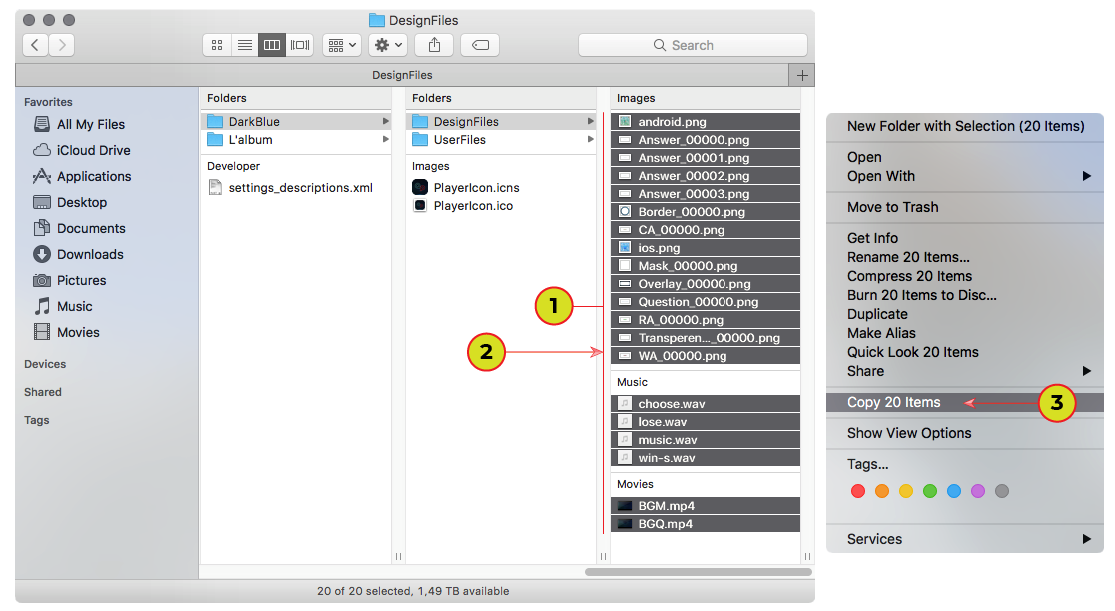
1. After Render check all files names, it must like on the image.
2. Select all rendered files.
3. Click "Copy".
Step 2
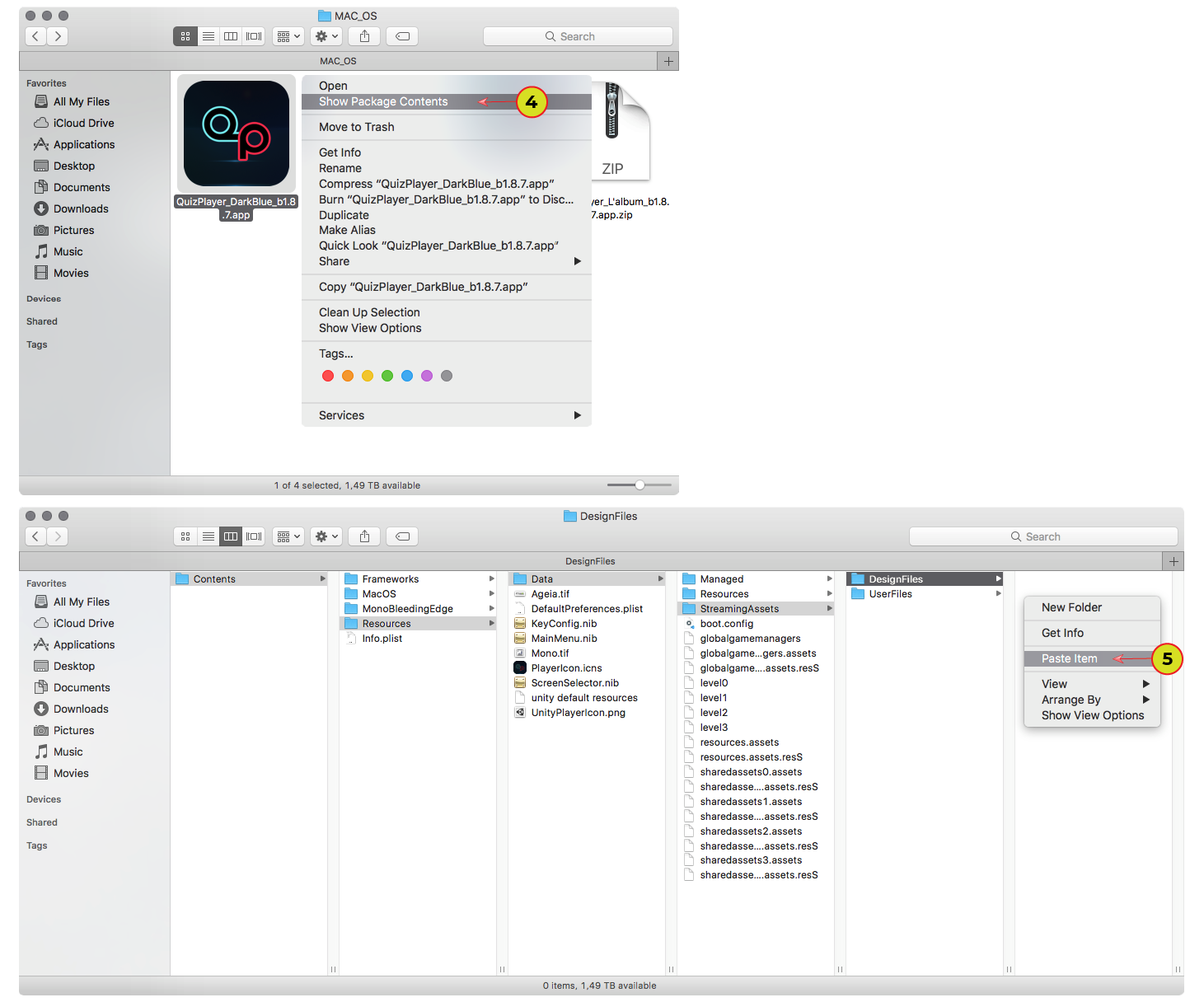
4. Right click on the application and select "Show Package Contents" and go to the “Contents > Resources > Data > StreamingAssets > DesignFiles” folder for MacOS X or "QuizPlayer beta 1.8.7_Data > StreamingAssets > DesignFiles" for Windows.
5. Paste Items into the “DesignFiles” folder.