Render Sequences
Step 1
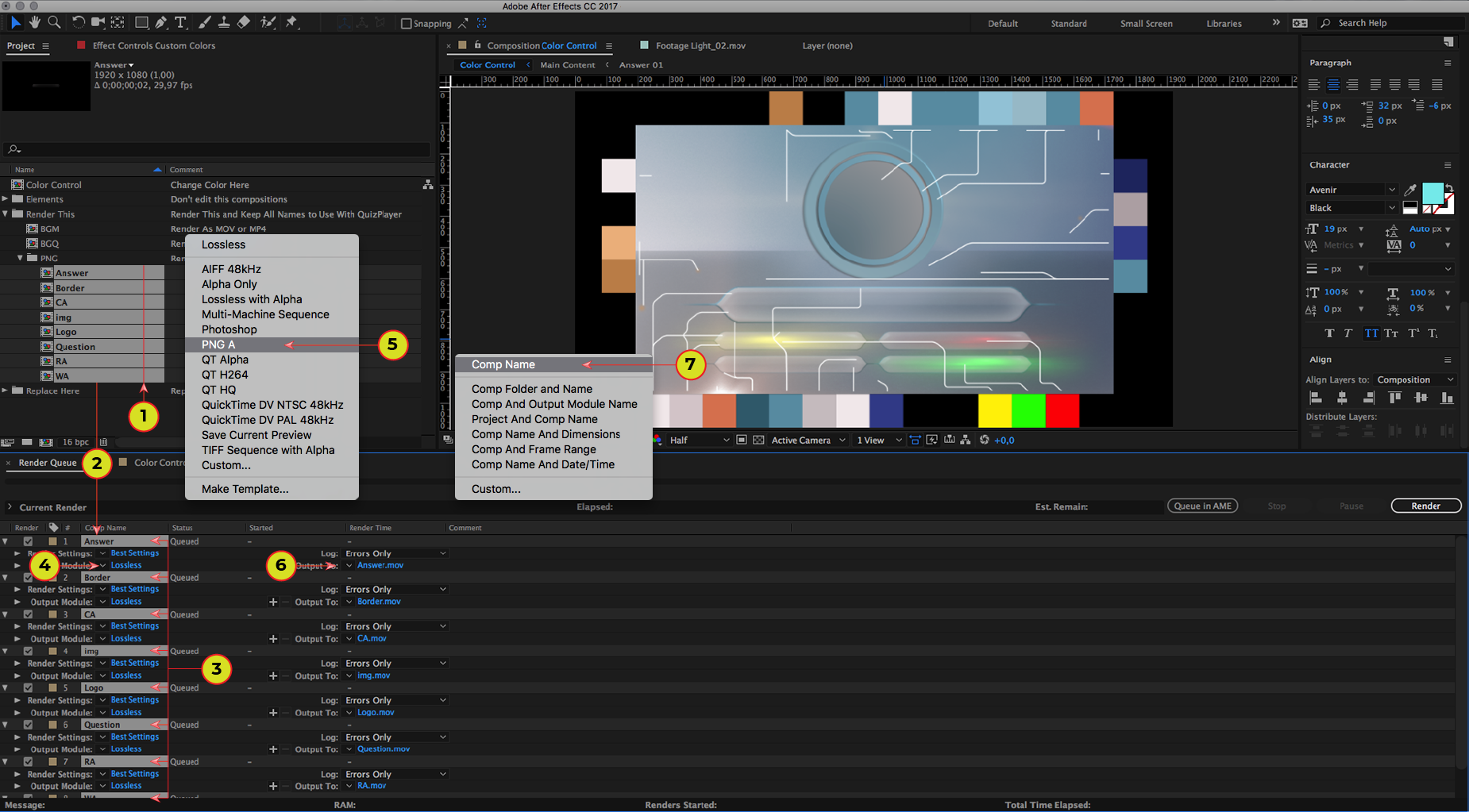
1. Select all “PNG” sequences from “Render This” folder. Quantity may vary.
2. Drag and drop sequences to “Render Queue”.
3. All sequences must be selected.
4. Click on the arrow button near “Output Module”.
5. Select your tempate in the drop-down menu.
6. Click on the arrow button near “Output To”.
7. Select “Comp Name” tempate in the drop-down menu.
Step 2
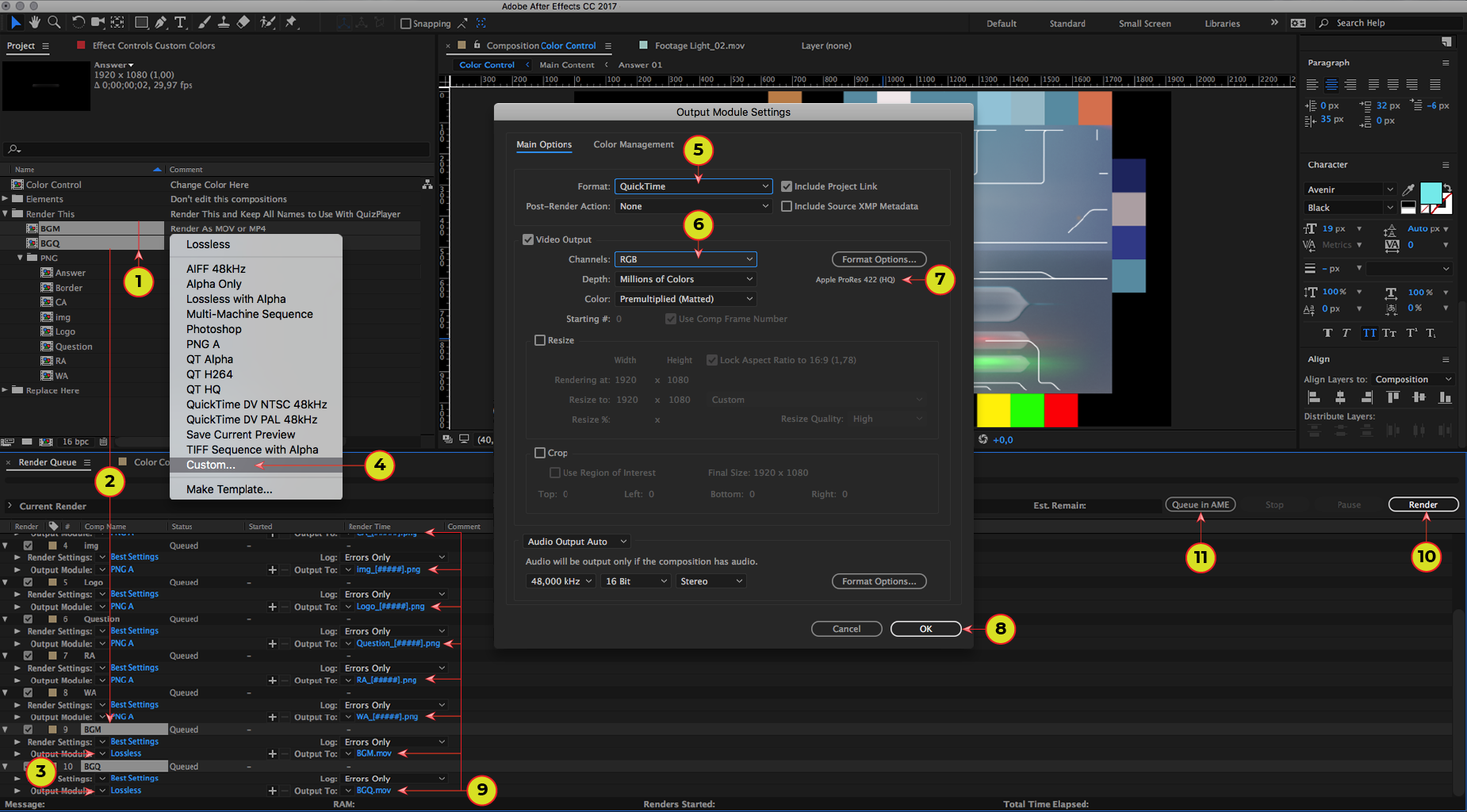
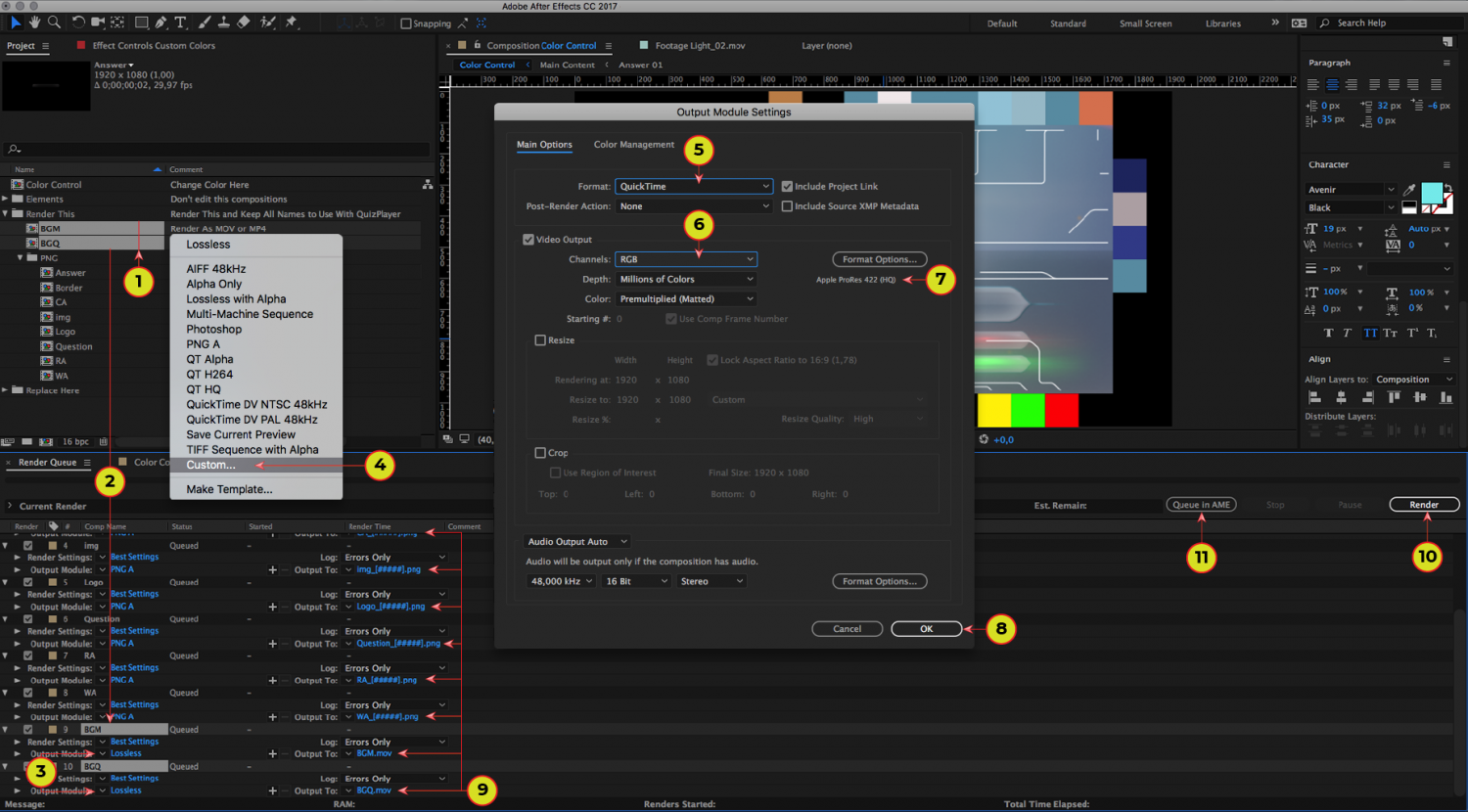
1. Select “BGM” and “BGQ” sequences from the “Render This” folder .
2. Drag and drop these sequences to the “Render Queue”. Choose file format: MOV or MP4
Render MOV
3-4. Click on the arrow button near “Output Module” and Select “Custom”.
5-6. Select “QuickTime” format and “RGB” channels.
7. Select “Apple ProRes 422” in format options. If you cannot select ProRes - you can use H264.
8-10. Click “OK”, check the names and “Render”.
Render MP4
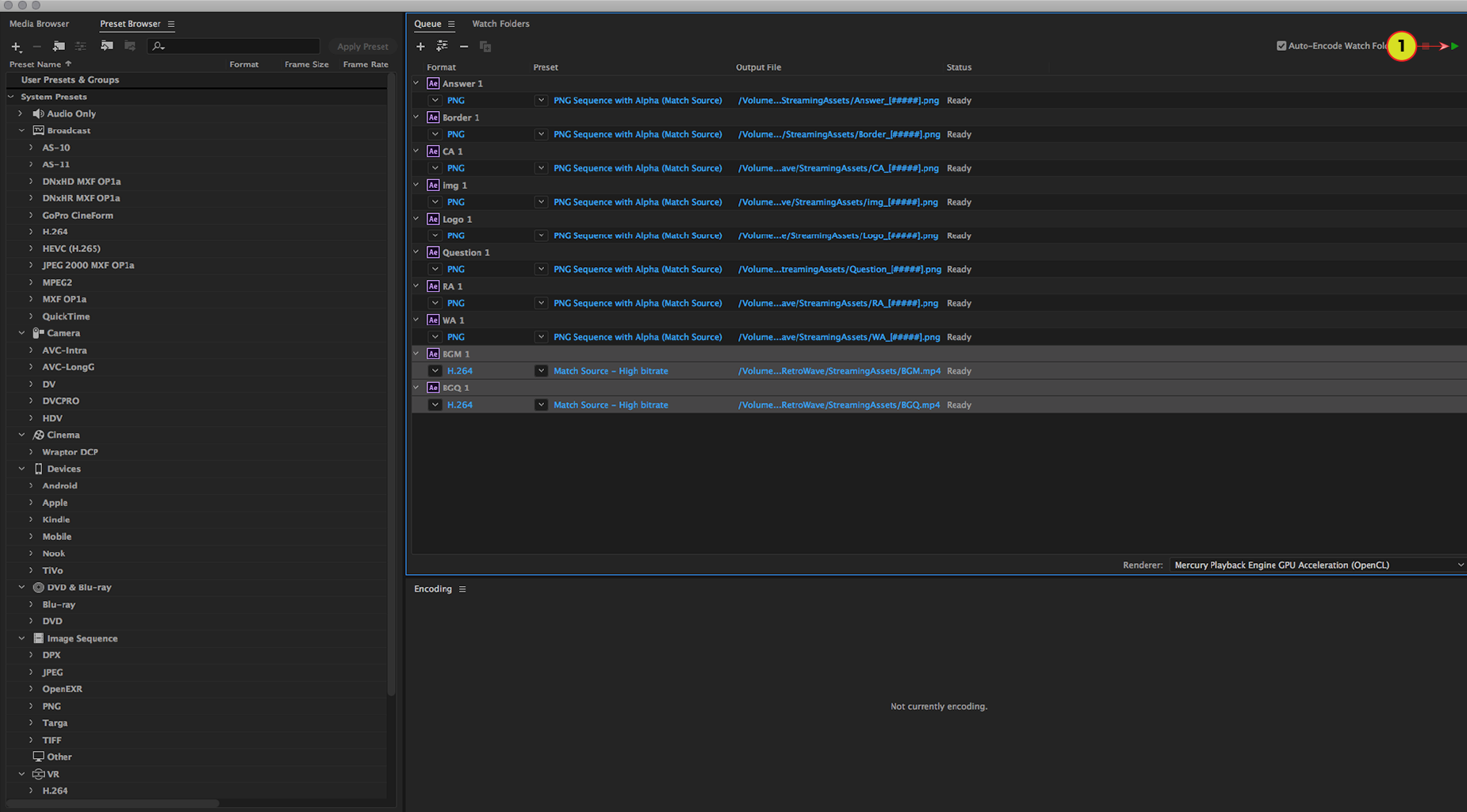
11. Click “Queue in AME”.
Step 3
Choose file format: MOV or MP4
Render MOV
Skip this step
Render MP4
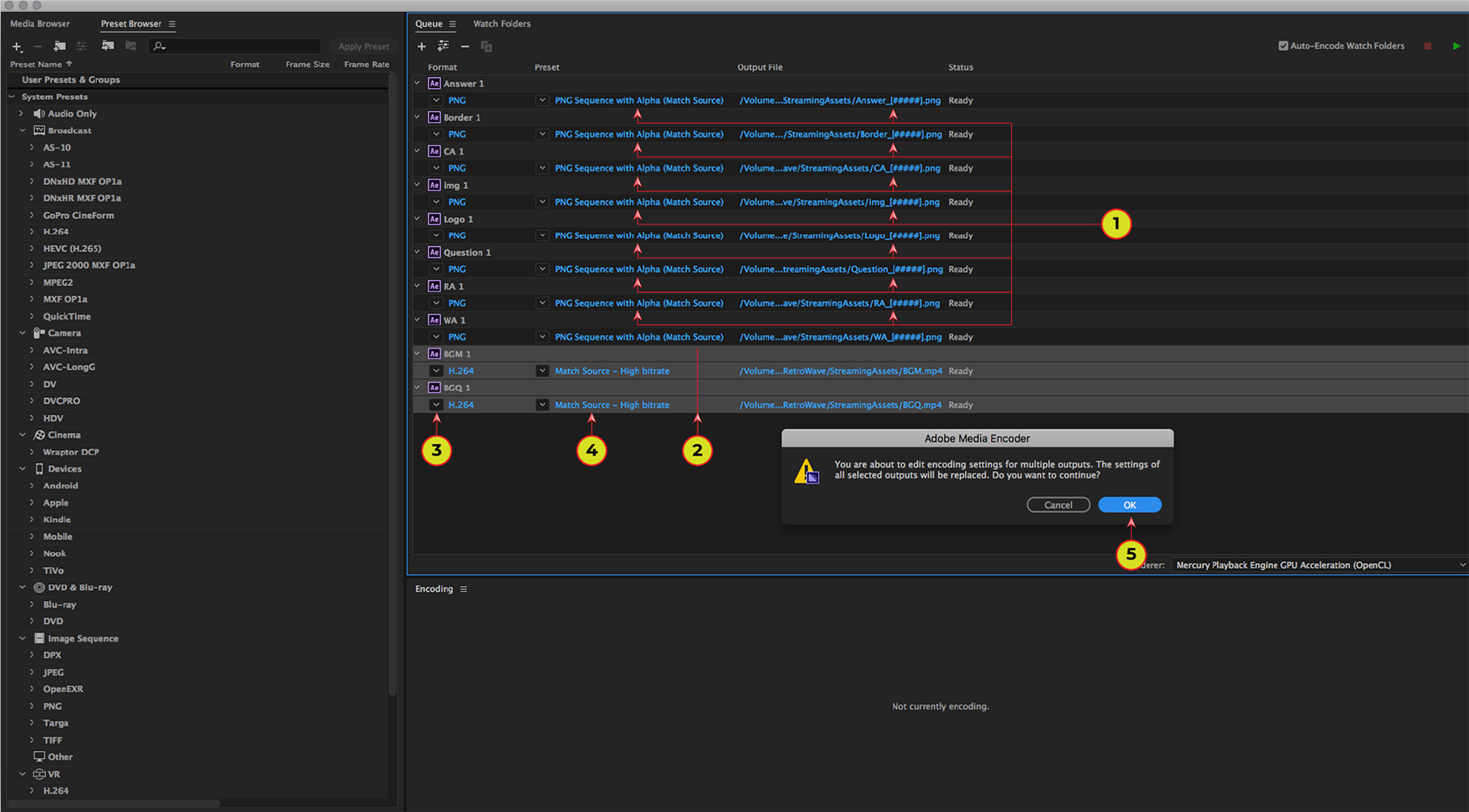
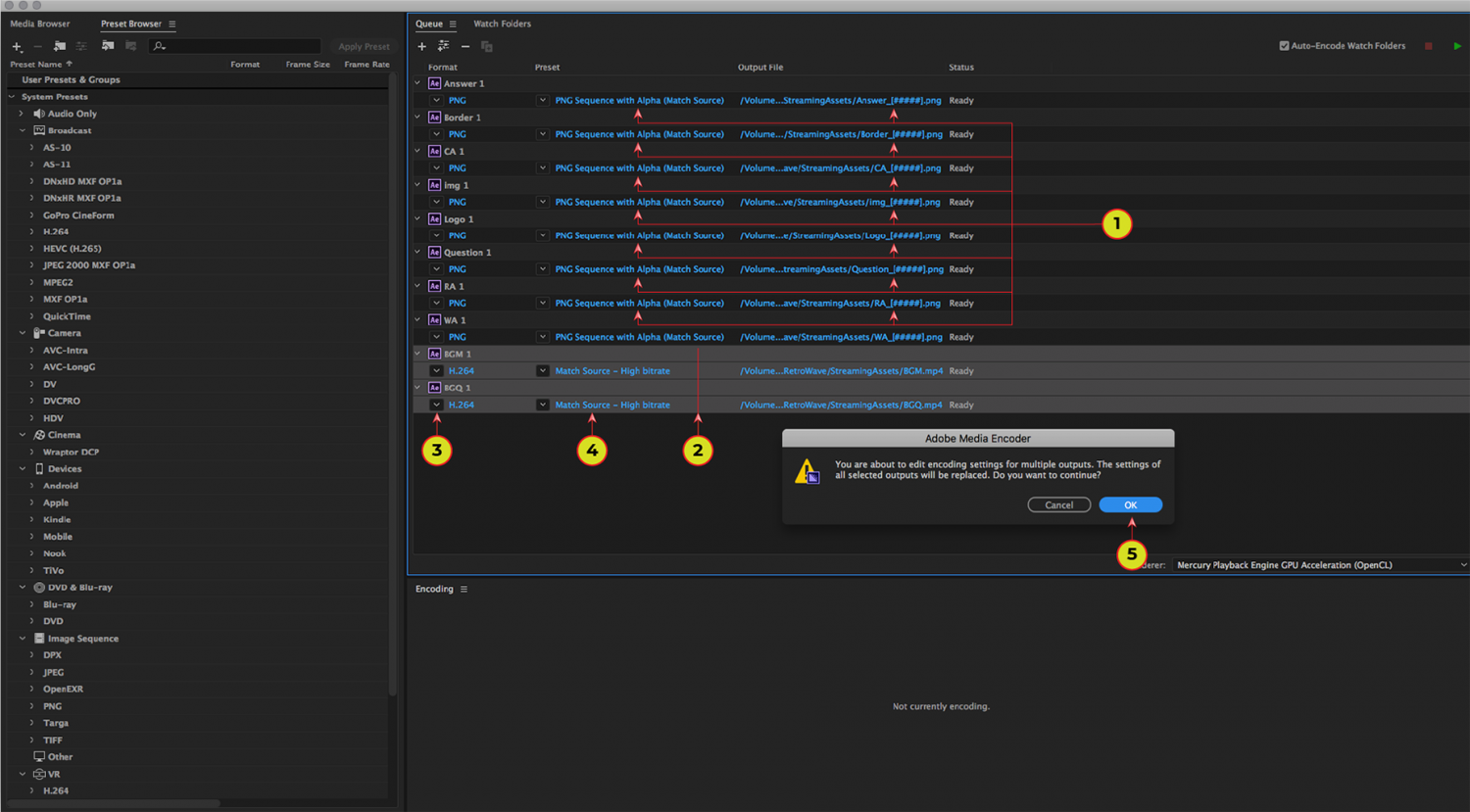
1. Check the alpha channel for all PNG.
2. Select “BGM” and “BGQ” sequences.
3. Click on the arrow button and select “H.264”.
4. Click on a text like on the image.
5. Click “OK” to continue.
Step 4
Choose file format: MOV or MP4
Render MOV
Skip this step
Render MP4
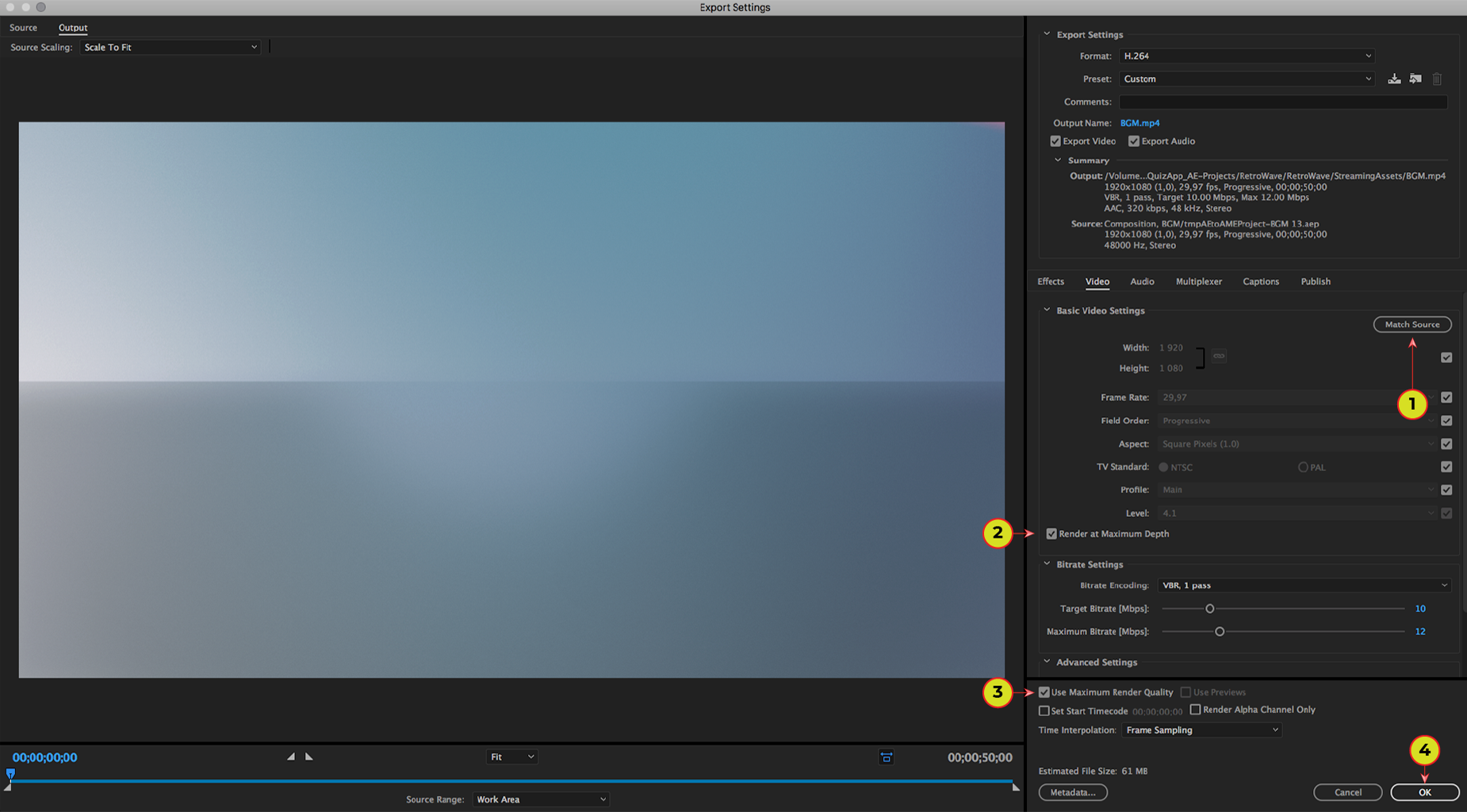
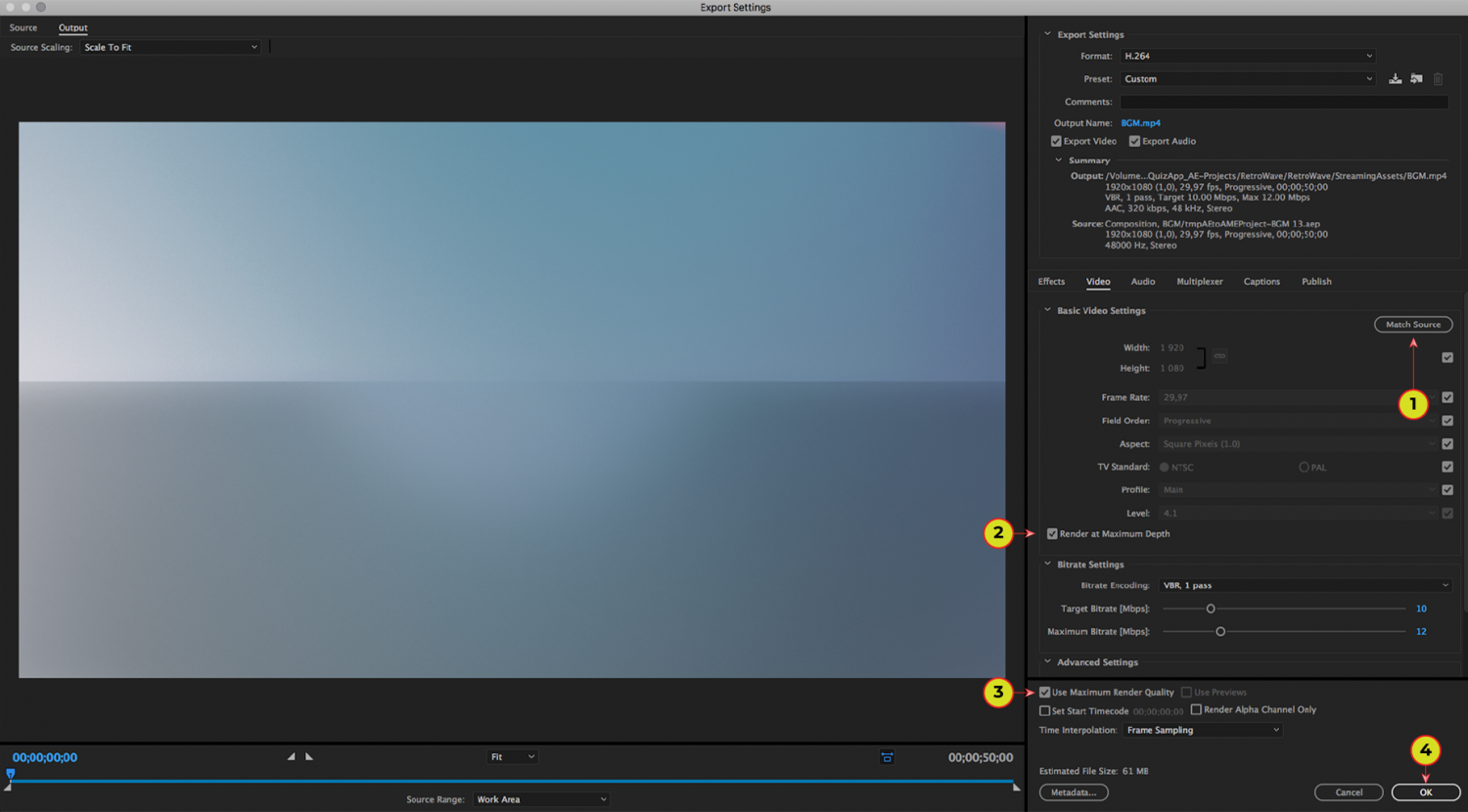
1. Click “Match Source”.
2. Set “Render at Maximum Depth” flag.
3. Set “Use Maximum Render Quality” flag.
4. Click “OK” to continue.